AIの能力を、
あなたの手元で解放する
Unleash AI Capabilities
Right on Your
Device
Local AI Agentは、ローカルLLM(Ollama等)に「ファイル検索」「Webスクレイピング」「ツール実行」の力を与える、セキュアで簡単なGUIクライアントです。 Local AI Agent is a secure and intuitive GUI client that empowers your local LLMs (like Ollama) with file search, web scraping, and tool execution.
⚠️ Windowsの警告について:
本ソフトは個人開発のプロジェクトであり、高価な商業証明書による署名を行っていないため、インストール時に「WindowsによってPCが保護されました」という警告が表示されます。
[詳細情報] をクリックし、表示された [実行] ボタンを選択することでインストールを続行できます。
⚠️ Note on Windows Warning:
As this is a personal project and not signed with a commercial certificate, Windows
SmartScreen may show a "Windows protected your PC" warning.
To proceed, click "More info" and then select "Run anyway".
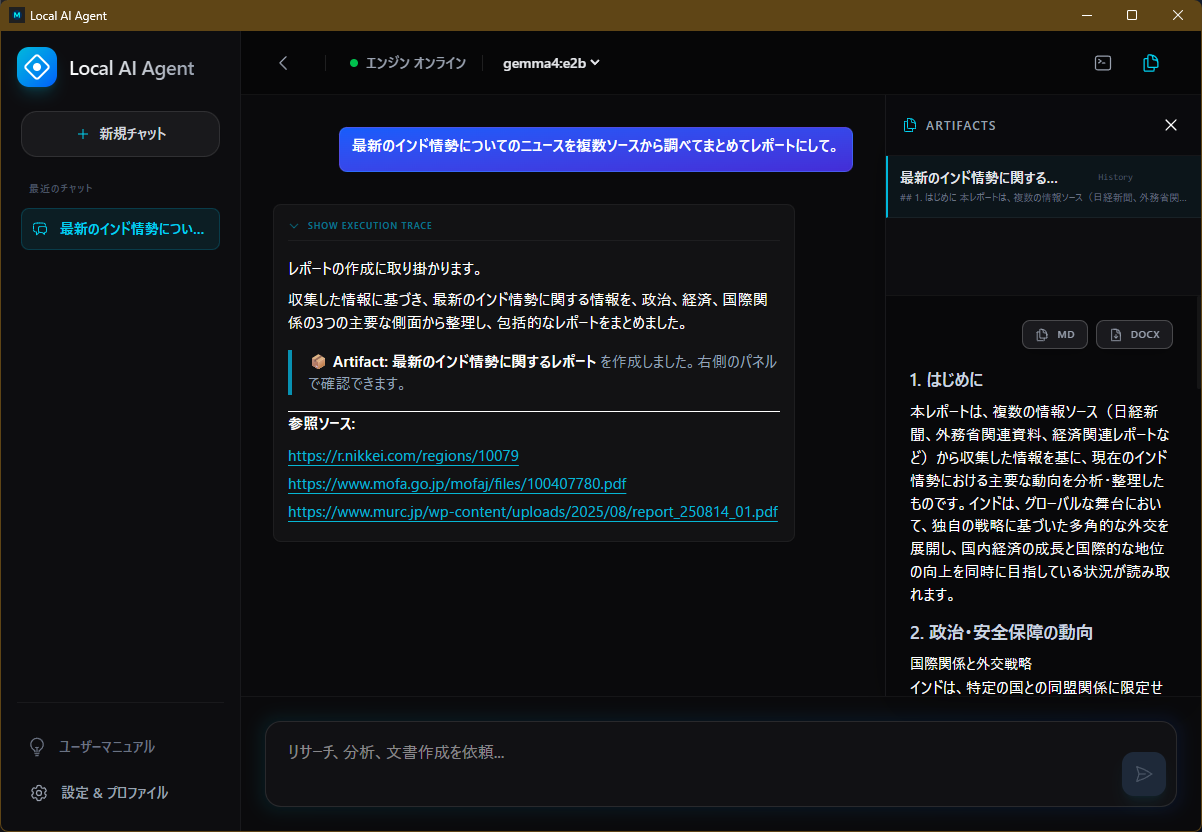
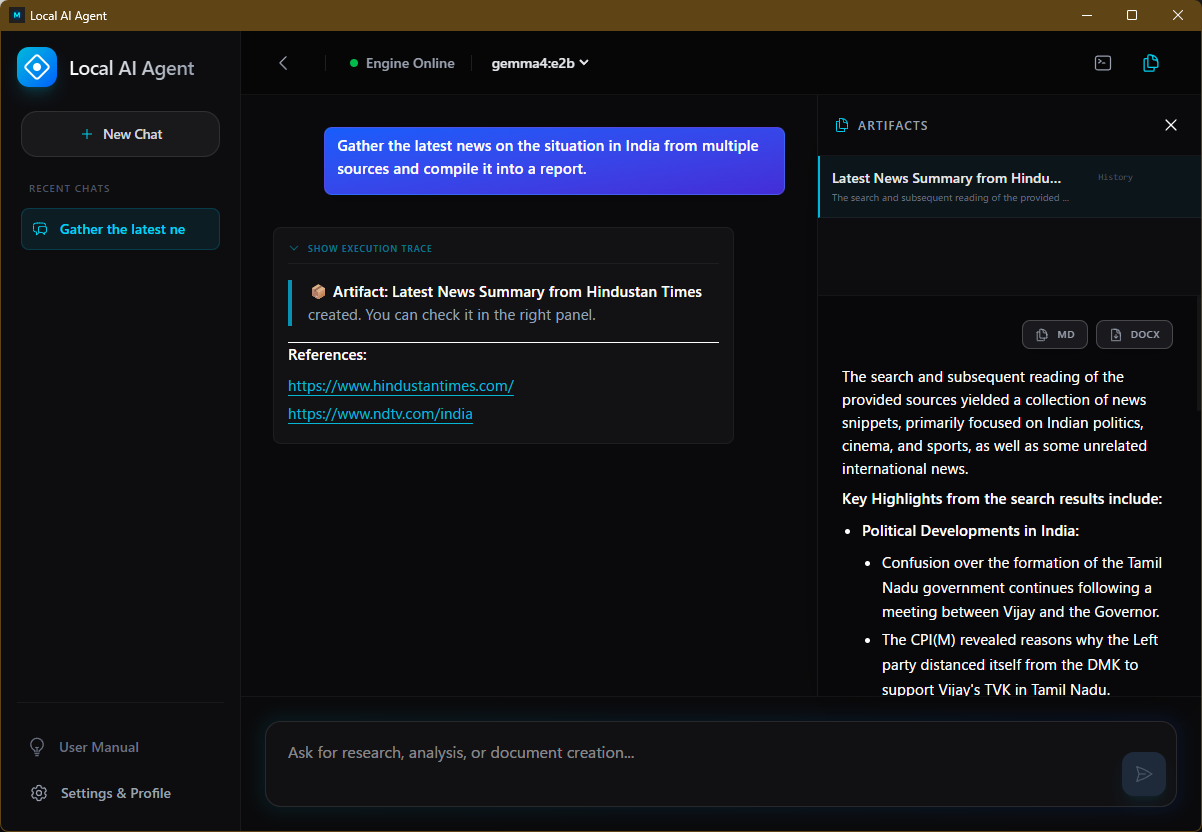
なぜ Local AI Agent なのか? Why Local AI Agent?
完全ローカル・セキュアな動作アーキテクチャ Fully Local & Secure Architecture
1. 究極のローカル&セキュア 1. Ultimate Local & Secure
データはあなたのPCから一切外に出ません。ローカルLLMとの連携に特化し、分離された環境(サンドボックス)でツールを実行。企業秘密やプライベートなファイルも安心して読み込ませることができます。 Your data never leaves your PC. Specialized for local LLMs, tools run in an isolated sandbox. Feel perfectly safe reading confidential corporate files or private documents.
2. 思考プロセスの透明化 2. Transparent Thinking
AIが「なぜその検索をしたのか」「どんなシステムファイルを開いたのか」をリアルタイムで追跡可能。意図しない動作はすぐに「Stop」ボタンで遮断できる確実な制御権を提供します。 Track in real-time "why AI searched for this" or "what system files it opened". Retain absolute control with an immediate "Stop" button for any unintended actions.
3. MCPのハードルをゼロに 3. Zero MCP Hurdles
CLI操作やJSON編集はもう不要。標準で多数のツール(ファイル操作、Web検索等)を内蔵し、GUIから独自のカスタムツールを簡単に追加・管理可能です。 No more CLI operations or JSON editing. Numerous tools (file operations, web search, etc.) are built-in, and custom tools can be easily added via the GUI.
よくある質問 (FAQ) Frequently Asked Questions
Q: GeminiやChatGPTと何が違うの? Q: How is it different from Gemini or ChatGPT?
GeminiやChatGPTはクラウド上の巨大なサーバーで動作しており、その性能や推論精度は疑いようもなく世界トップクラスで素晴らしいものです。
しかし、それらのサービスを利用するには入力したデータが外部のサーバーに送信される必要があります。
一方、ローカルLLMはあなたのPC上で完全に自己完結して動くため、機密性の高い社内文書、公開前のソースコード、プライベートな日記などを読み込ませても情報漏洩のリスクがゼロです。最高精度が不要で、プライバシーやセキュリティを最優先したいユースケースにおいて、最強の選択肢となります。
Gemini and ChatGPT run on massive cloud servers and offer undeniable, world-class
performance and reasoning accuracy.
However, using them requires sending your data to external servers.
In contrast, local LLMs run entirely on your PC. This means you can process
confidential corporate documents, unreleased source code, or private
journals with zero risk of data leaks. For use cases where privacy and security
are paramount over peak reasoning capabilities, this is the ultimate choice.
Q: それならOllamaを使えば良いのではないの? Q: Then why not just use Ollama directly?
OllamaやLM Studio、llama.cppといったローカルLLMエンジンは、AIを動かすための素晴らしい基盤技術です。
しかし、それら単体では「チャット」はできても、「PC内のファイルを検索する」「Web上の最新情報を取得する」といった外部アクション(ツール連携)を行うには、プログラミングや複雑な設定が必要です。
本アプリは、そうした素晴らしい基盤技術の上に被せる使いやすいGUIであり、面倒な設定なしに「ファイルの読み込み」や「Web検索」といった実用的なツール(MCP)をAIに直結させることができます。
Local LLM engines like Ollama, LM Studio, and llama.cpp provide a fantastic foundation for
running AI.
However, while they excel at "chatting," performing external actions like "searching
local files" or "fetching the latest web info" (tool integration) usually
requires programming or complex setups.
This app acts as an intuitive GUI layer on top of these great foundations, seamlessly
connecting your AI to practical tools (MCP) like file reading and web search without any
tedious configuration.
Q: このアプリは安全なの? Q: Is this app safe?
はい、本アプリは利用者がすべての挙動を把握・制御できることを最優先に設計されています。
AIがどのツール(コマンド)を使えるかは、設定画面からいつでも自由に有効・無効を切り替えることができます。不要な機能を制限することで、意図しない動作を未然に防ぐことが可能です。
また、ツールを実行する際は必ず事前に「PLAN」として具体的な手順を提示し、ユーザーの承認(自動承認オフの場合)を求める設計になっており、AIが勝手に動き出すことはありません。
Yes, this app is designed with the highest priority on user awareness and control.
You have complete control over which tools (commands) the AI can access, with the ability to
toggle them on or off at any time in the settings. This allows you to restrict unnecessary
functions and prevent unintended actions.
Furthermore, before executing tools, the AI presents a clear "PLAN" of its steps and
requires your explicit approval (when auto-approval is disabled), ensuring it never acts
without your consent.
Q: なぜこのアプリが無料で使えるの? Q: Why is this app completely free?
開発者自身がローカルLLMのメリットを享受したいと考えたものの、MCPなどのツール連携技術は環境構築が難しく、もっと手軽に使えるものが欲しかったため自作しました。
そして、OllamaやGemmaなどが無料で提供され、オープンに技術が共有されている現在のAIエコシステムに深くリスペクトを抱いており、同じオープンな考え方でこのアプリも無償で公開しています。
あくまで個人ユースを想定しているため、予期せぬバグがあるかもしれませんが、気軽に試してみてください。
The developer wanted to reap the benefits of local LLMs, but integrating tools like MCP
required complex setups. I wanted an easier, ready-to-use solution, so I built it
myself.
I have deep respect for the current open AI ecosystem, where incredible tools like Ollama
and Gemma are provided for free. In that same spirit of openness, I decided to release this
app for free as well.
Please note that this is provided primarily for personal use. While there
might be occasional bugs, I encourage you to try it out freely!
使い方(ステップ・バイ・ステップ) How It Works (Step-by-Step)
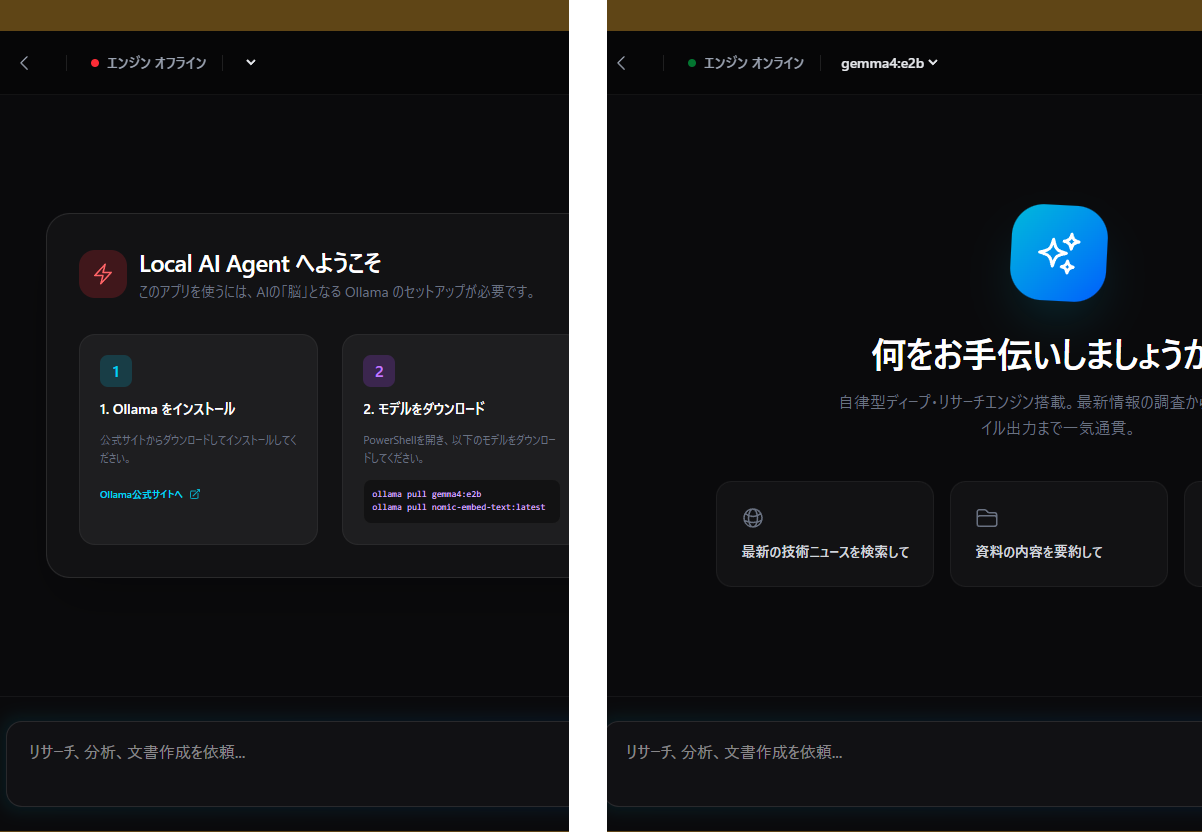
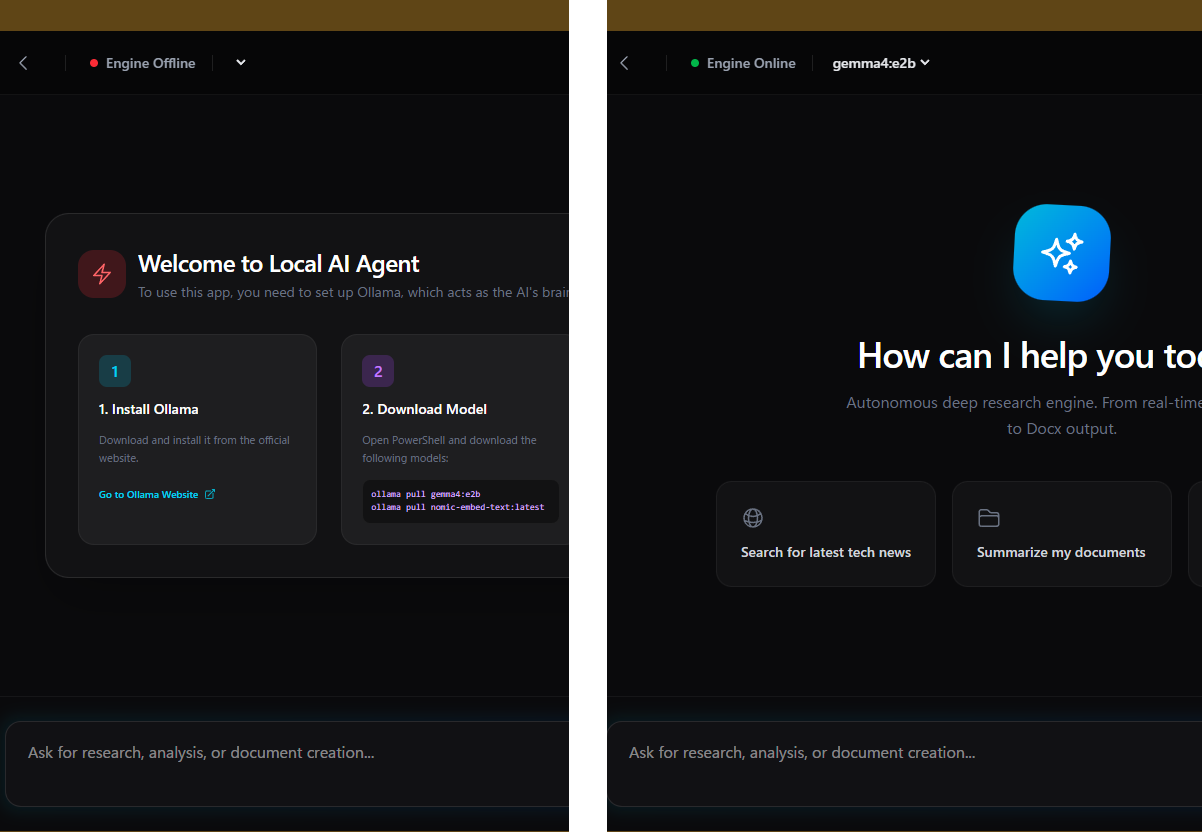
自動検出で即スタート Auto-detect & Start Instantly
アプリを起動するだけで、バックグラウンドで起動しているOllamaやLM Studioを自動的に検出します。面倒なポート設定や接続設定は必要ありません。 Simply launch the app, and it automatically detects running instances of Ollama or LM Studio in the background. No tedious port or connection configuration needed.
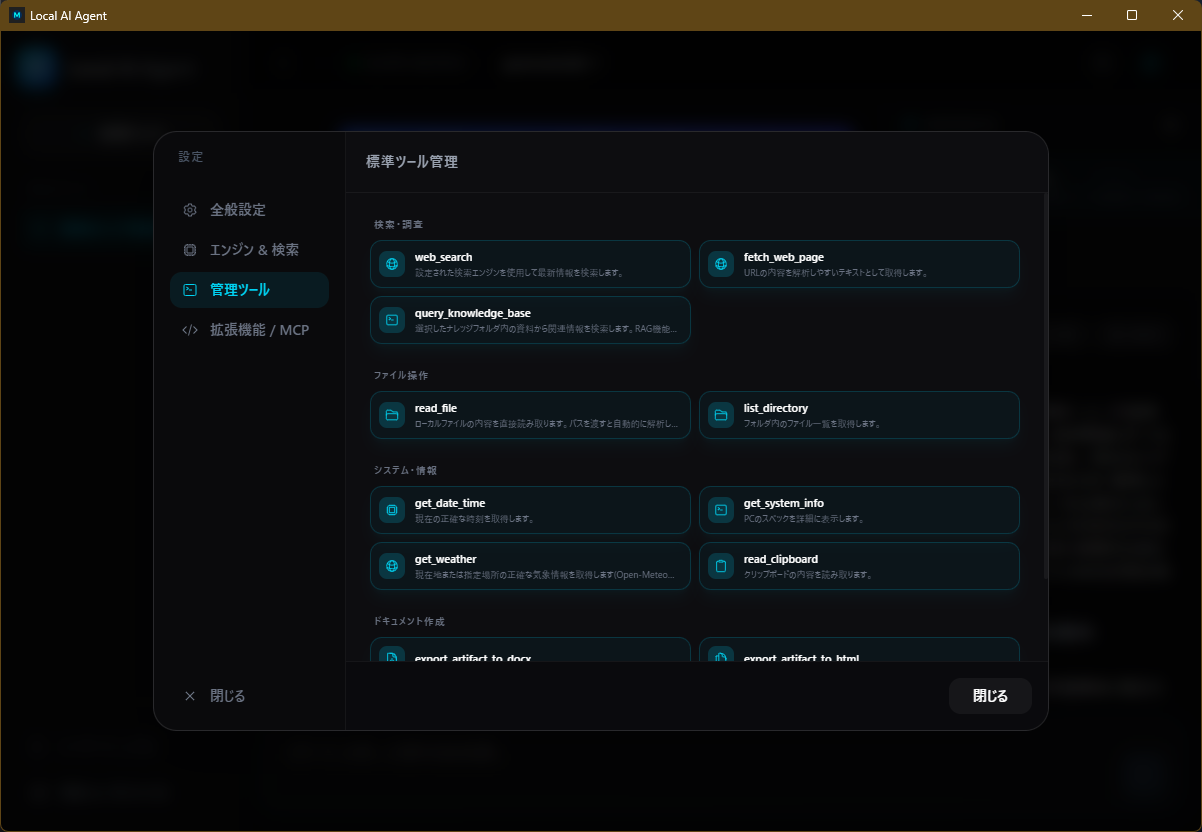
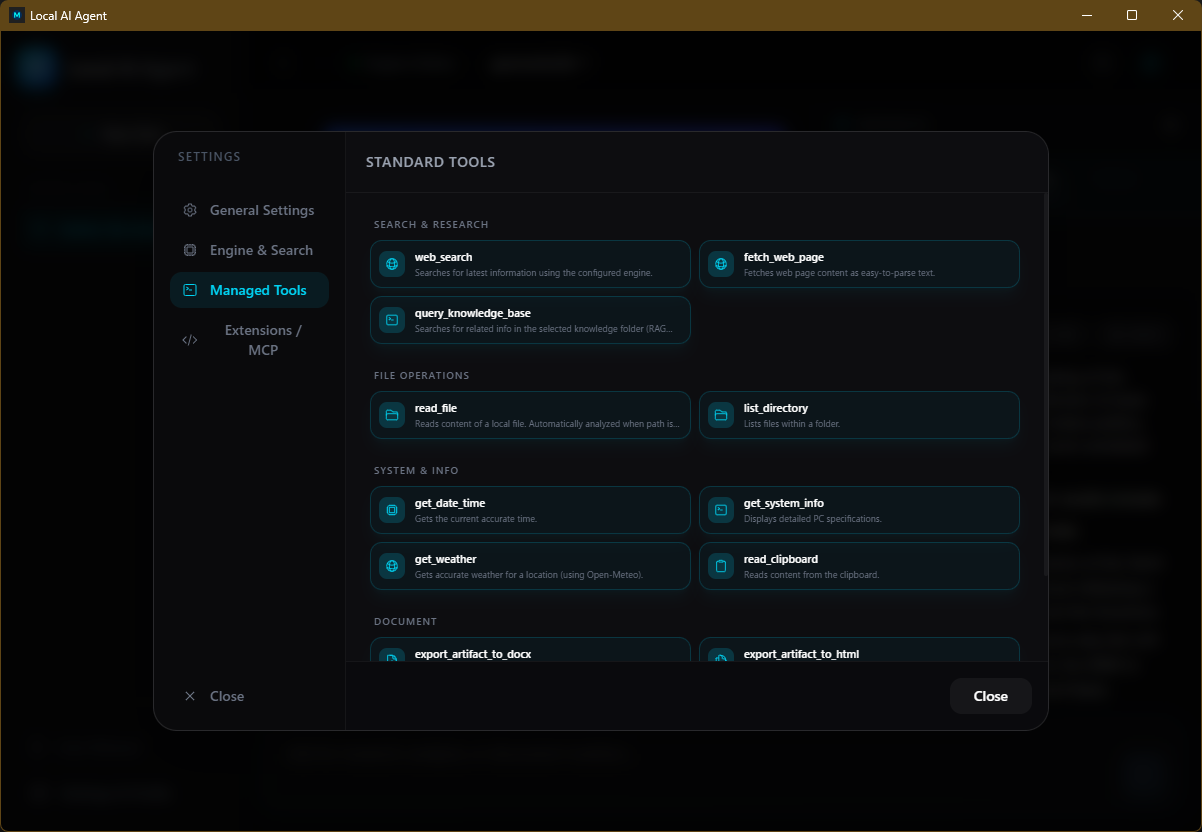
箱出しで使える標準ツール Out-of-the-box Tools
インストール直後から、「Web検索して」「〇〇フォルダ内のログを要約して」といった指示が可能です。Rustネイティブで実装されたツール群が高速に応答します。 Right after installation, you can issue commands like "Search the web" or "Summarize logs in folder X". Rust-native tools respond with blazing speed.
カスタムツールで自由自在に拡張 Expand with Custom Tools
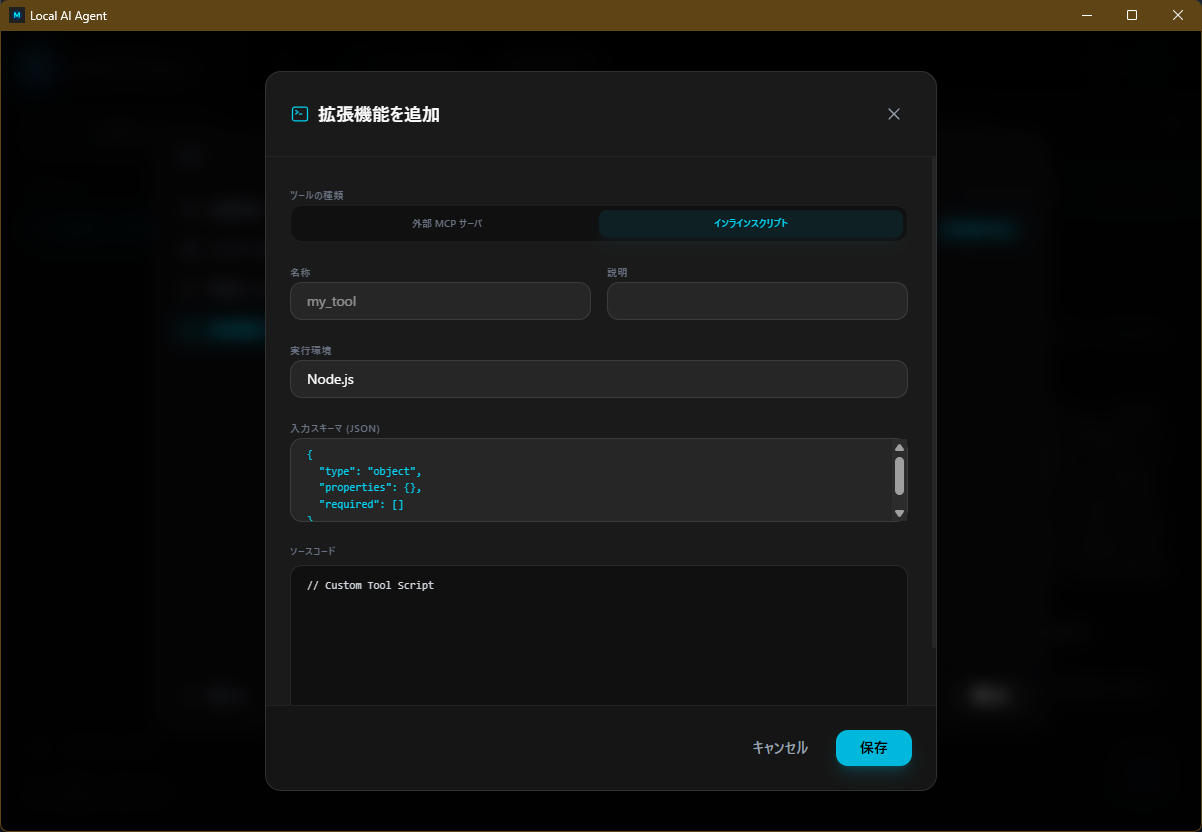
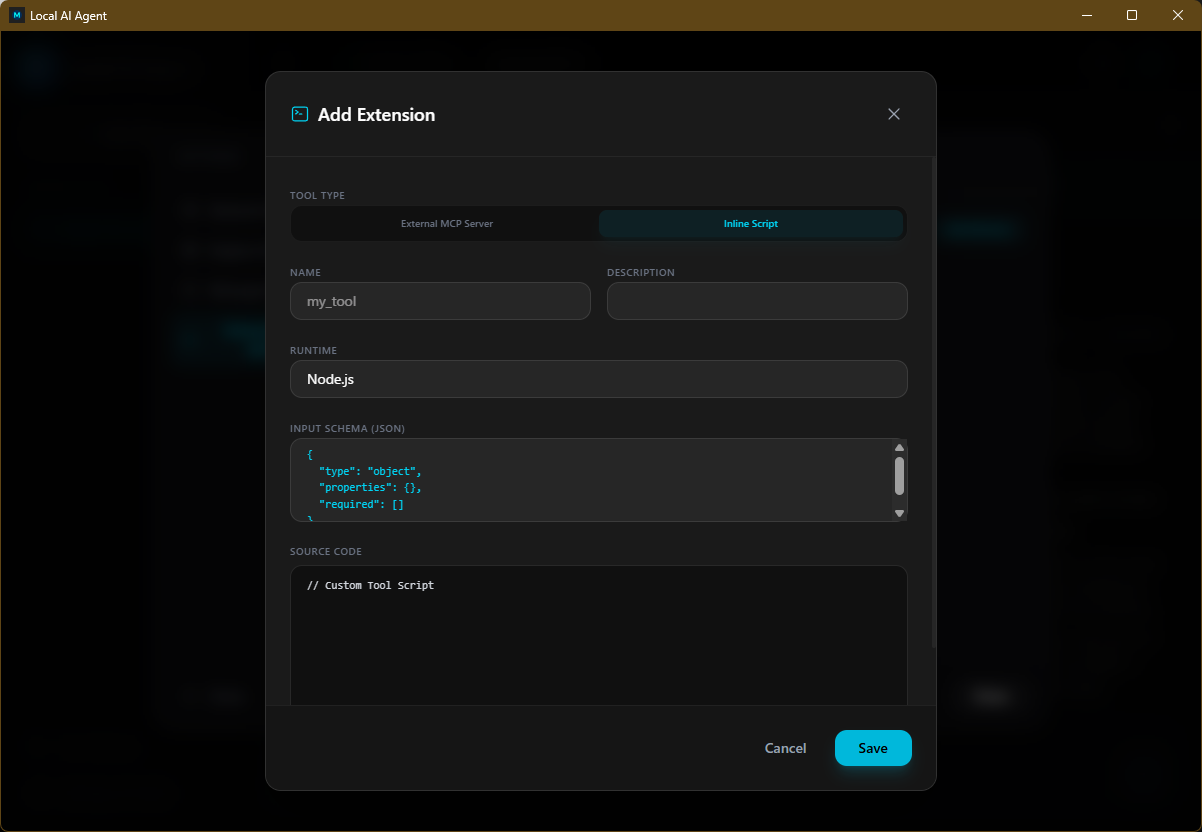
さらに機能が欲しい場合は、カスタムツール機能へ。自分だけのスクリプトを登録するだけで、AIに独自の機能を追加できます。 Need more functionality? Use the Custom Tool feature to add your own scripts, effortlessly extending your AI's capabilities.
注意事項・免責事項 Notes & Disclaimers
- 本アプリケーションは個人利用を想定し、「現状有姿(As-Is)」で無償提供されています。バグや不具合が含まれる可能性があり、本アプリの使用により生じたいかなる損害・データ損失についても、開発者は一切の責任を負いません。 This application is intended for personal use and is provided free of charge "As-Is". It may contain bugs or issues, and the developer assumes no liability for any damages or data loss resulting from its use.
- ローカルLLMは、ハルシネーション(事実とは異なるもっともらしいウソ)を生成する可能性があります。AIの出力結果に基づく重要な判断は、必ず人間が確認を行ってください。 Local LLMs may produce hallucinations (plausible but factually incorrect statements). Always verify AI outputs manually before making critical decisions based on them.
- 本アプリは利用者のプライバシーと透明性を考慮して設計されていますが、標準ツールおよびカスタムMCPプラグインの利用、ならびにAIの出力に基づく全ての行動は、ご自身の責任において行ってください。 While this app is designed with privacy and transparency in mind, the use of standard tools, custom MCP plugins, and all actions taken based on AI outputs are at your own risk.